

How to sell Print on Demand on Amazon: A beginner’s guide


In summary, here is how to sell Print on Demand on Amazon: Make an Amazon Professional seller account, link to a print-on-demand service, design your desired products, and post them in your store. With astute marketing and continuous optimization, you can then begin selling and grow your Amazon POD company.
To help you launch your print-on-demand business with confidence, we will cover everything from account setup and product design to Amazon connection and listing optimization.
Create an Amazon seller account.
A seller account is required before you can launch your POD business on the Amazon marketplace. You can track orders, manage listings, and evaluate your Amazon store’s performance there.
Step 1: Choose the Professional plan
Individual and Professional are the two primary seller accounts on Amazon. You must switch to the lattertoo sell print-on-demand goods.
You can access the Amazon Selling Partner API (SP-API) with the Professional plan, which costs $39.99 per month. This enables your POD supplier to receive and process your orders automatically. Additionally, you will gain access to capabilities like statistics, bulk listing, and Amazon Ads eligibility.
Step 2: Sign up for your Amazon seller account
Enter your company’s information and attach supporting documentation. This is how the procedure looks:
- Click Sign Up after visiting Amazon Seller Central.
- Enter the name, address, and entity type of your business and legal identity.
- Include bank account information that corresponds to your personal or corporate name.
- To pay subscription costs, present a working credit card.
- Attach a recent Proof of Address (such as a utility bill or bank statement dated within the last 180 days) and a clear copy of your official ID.
It may take a few hours to a week to complete the approval procedure. You can begin setting up your Amazon store for your first print-on-demand items as soon as you get in.
Choose your print-on-demand supplier.
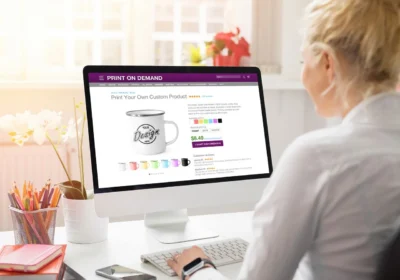
Selecting the appropriate POD provider makes it simpler to sell Print on Demand on Amazon.
Amazon Merch on Demand is one of the most popular POD choices for Amazon sellers. Both are effective, but they cater to different kinds of vendors.
Printful
With just a few simple steps, you can connect your seller account to Printful, an all-in-one POD platform with Amazon integration. Printful automatically prints, packs, and sends your orders after you have connected.
Since you do not keep inventory and everything is provided on demand, it is also a good substitute for Amazon dropshipping.
Ideal for: Vendors seeking a vast product selection, robust branding options, and complete creative control.
Advantages:
- Excellent product quality. Printful employs premium materials and printing techniques. There are 468 items in our catalog that include clothing, accessories, home décor, and more.
- Tools suitable for beginners. No design expertise is required to transform your ideas into reusable product templates with our free Design Maker.
- Your brand is under your control. With optional custom labels, pack-ins, and other branding choices, we print and ship everything under your brand.
- Cheap shipping costs. Shipping is dependable and reasonably priced thanks to several fulfillment facilities and international airlines.
Cons:
- Higher prices per unit. POD items can lower profits because they are more expensive than bulk inventories.
- A longer time for production. Before orders are shipped, Print on Demand takes two to five business days to print them.
Amazon Merch on Demand
Amazon’s integrated POD service is called Amazon Merch on Demand. Amazon manages production, inventory, shipping, and customer service, much like that. All you have to do is list your products, upload your designs, and get paid when orders are placed.
Ideal for: Sellers seeking a hands-off, automated Amazon POD experience.
Advantages:
- Fulfillment is completely automated. Amazon is in charge of printing, shipping, refunds, and customer service.
Prime eligibility. Prime Shipping is available for merchandise, offering your online business a speedy delivery advantage.
- Quick setup. The sign-up procedure can be expedited by using an existing Amazon account, and connecting a third-party POD platform is not necessary.
Cons:
- Limited branding. Packaging cannot be altered, nor can a stand-alone brand experience be developed.
- Limitations on tiers. Sellers must make sales to advance to higher tiers, and they are initially limited to 10 new designs.
Create and list your products.

Make your products and add them to your Amazon store after setting up your POD supplier and Amazon account.
Step 1. Design your products
Your product’s design is what makes it unique, so make sure it is targeted at the target market. Consider your target audience and the message or emotion you want the product to convey.
The good news is that creating original products does not require graphic design expertise. The Design Maker, which comes with free graphics, writing tools, clipart, and integrated product mockups, is available to vendors.
Any program that can export high-resolution photos will do if you want to use other tools. View our selection of the best t-shirt design software.
A few easy pointers to maintain the quality of your designs:
- Quality. Make use of crisp, high-quality photos and graphics that will not blur when printed.
- The ability to read. Select fonts that are readable at various sizes.
- consistency. For a unified appearance, stick to a standard color scheme.
Make sure customers can see what they are purchasing by using lifestyle photos or mockups. Your Amazon business will appear more reliable if your designs are polished and clear, which will increase clicks and conversions.
Step 2. Choose products to sell
Focusing on items that your audience currently frequently purchases is the simplest method to reduce your alternatives. These are the most lucrative POD items based on our study, if you are looking for inspiration.
Custom t-shirts
One of the simplest and most dependable things to sell with POD is custom t-shirts. They have consistent, year-round demand, work for nearly any niche, and provide countless opportunities for innovation.
You can make t-shirts that reflect your audience’s preferences, whether they are minimalist, amusing quips, or niche artwork.
Additionally, they are reasonably priced to create, which supports high profit margins. While high-end brands like Bella + Canvas draw potential clients who value softness and comfort, more affordable shirts like Gildan are excellent for daily usage or large orders.
Custom hoodies
Comfort and individual style are elevated with custom hoodies. Customers are more willing to pay a greater price because of the thicker material and additional amenities like a hood, pocket, and drawstrings. Compared to t-shirts, this offers you a higher possibility for profit.
In markets like streetwear, fitness, gaming, and campus wear, this clothing item is particularly well-liked. Depending on the style you wish to create, you can experiment with embroidery, sleeve embellishments, front graphics, and large back prints.
Hoodies are ideal for both seasonal and evergreen collections because they are worn throughout the year, but are most popular in the winter.
Baby and kids’ clothing
Because new parents, family members, and gift buyers purchase baby and children’s clothing year-round, it is always in demand. As children grow, sizes change rapidly, which encourages recurring buying.
You may add adorable pictures, names, milestones, or character-style designs to a variety of products, such as bodysuits, toddler t-shirts, hoodies, and more. These products are particularly popular during holidays, back-to-school seasons, birthdays, and baby showers.
Phone cases
If you are looking for a lightweight, popular product that appeals to a wide range of consumers, custom phone cases are a great option. With billions of smartphones in use globally, individuals are constantly searching for ways to customize and safeguard their gadgets. As a result, phone cases receive consistent traffic and are excellent impulse purchases.
They are also quite adaptable. Cases can be made based on seasonal themes, memes, specialist interests, or popular aesthetics. You may reach more customers and accommodate a range of pricing points by providing a variety of case styles, such as robust cases, MagSafe-friendly cases, or clear cases.
Personalized notebooks
For clients who enjoy writing, journaling, and making plans by hand, personalized notebooks are straightforward yet surprisingly profitable. They are excellent sellers for birthdays, holidays, and back-to-school seasons because they are also very giftable.
To make the covers engaging for your niche, include names, quotations, themed artwork, or brand-specific designs. Notebooks are a common everyday item that maintains consistent sales, regardless of whether your audience wishes to doodle or jot down thoughts.
Mugs
Mugs are useful, suitable as gifts, and simple to personalize. They are always in demand and are purchased for corporate presents, birthdays, holidays, homes, and offices.
They increase your profit because they are cheap to manufacture and ship. Additionally, there are countless choices for customization; themed collections, phrases, pet images, and beautiful designs all sell well.
To stand out, you can also provide a variety of mug styles, such as coffee mugs, travel mugs, or metallic finishes.
Not sure where to start?
For inspiration, look through Amazon’s Best Sellers, New Releases, and Movers and Shakers. Examine what is popular, read reviews, and take note of the listing styles that appear to convert well.
Think about what your niche is likely to purchase, how competitive the category is, production and shipping timelines, and profit margins as you whittle down your options.
After selecting the products, you can either upload them straight to Amazon Seller Central or publish them via your Amazon Seller app. Product publication is significantly easier if you use. Your launch process can be accelerated by syncing designs, product data, and mockups directly to Amazon.
Step 3. Write product listings
Keep your titles and descriptions brief and informative to convert casual browsers into buyers.
To list a product on Amazon, you will need the following:
- The Stock Keeping Unit (SKU). Your internal product code is this. To make it simple to keep track of differences in size, color, or design, use a naming scheme that makes sense to you.
- Title of the product. Start with the primary product category (such as “Custom graphic t-shirt”) and include important characteristics that set it apart.
- Description of the product. Describe the product, its intended use, and the reasons why someone would want it. Use bullet points, keep sentences brief, and emphasize the key advantages.
- Pictures of the products. Make use of crisp, superior photos or mockups. To ensure that clients understand exactly what they are buying, display the goods from various perspectives.
- Search phrases. Do not overdo it when adding pertinent keywords that customers might use to find your product. For advice and recommended practices, see our guide to Amazon SEO.
- The product ID. When you make a new listing, this is applicable. To publish your product, request a Global Trade Item Number (GTIN) exemption if your POD supplier does not offer a Universal Product Code (UPC).
The cost is now due. A lot of new POD vendors set theirs too high or too low. You might not be able to pay for manufacturing, shipping, and Amazon fees if it is too low. Customers may choose a less expensive competitor if it is too high-priced.
Examine the prices of comparable goods in your market to determine the ideal balance. Then, pick a price that is both competitive and profitable. The quality, customisation, and overall worth of the product should all be reflected in the price. This method is covered in greater detail in our product price guide.
Manage and grow your business.

Starting your first Amazon POD product is a terrific place to start, but creating a profitable store requires constant effort. Consider it a cycle: test, learn, adapt, and develop. Your store will get better over time as you improve your listings and advertise your goods.
Market your store
Getting clients to view your items is the next stage once they go online. Although you have access to a large audience thanks to Amazon, you still have to contend with the approximately 2 million active vendors on the same site.
For this reason, marketing has the power to build or ruin your business.
Start by posting about your products on social media. For visual products like clothing, phone cases, and wall art, TikTok, Instagram, and Pinterest are good choices. Add your Amazon listings to your blog or website if you have one. Email newsletters keep readers interested and encourage them to return when new products are released.
Amazon’s own advertising capabilities are another option. With cost-per-click (CPC) advertisements, sponsored products help your listings appear higher in search results. This is particularly helpful if your business has no ratings yet.
Initially, keep your marketing straightforward. Choose one or two channels that you can reliably handle, then expand from there.
Optimize your listings
One of the simplest strategies to increase product visibility on Amazon is to update your listings. You can identify areas for improvement by examining your listings every few weeks, but you do not have to make changes every day.
Here are some easy methods for optimizing:
- Update your descriptions and titles. Make sure they are understandable, incorporate keywords organically, and emphasize the advantages that matter most to your target audience.
- Enhance pictures. If your current mockups do not convert, try new ones, lifestyle photographs, or sharper angles.
- Include fresh variations. A larger audience will find your products more enticing if you offer additional colors or size alternatives.
- Keep an eye on your rivals. Take note and make the necessary adjustments if comparable listings begin utilizing new keywords, angles, or mockups.
How frequently should your product listings be updated?
You should update your Amazon listings every three to six weeks, while there is no set timeline. But it is always a good idea to do it when you introduce better designs, when sales slow down, or when new trends emerge.
Stay updated
Keeping up with Amazon’s rapid changes will help you remain competitive. Regularly check your Amazon Seller Central dashboard for any changes to listing criteria, new features, or policy revisions.
To identify trends in your area, it is also helpful to conduct regular market research. Changes in customer behavior, new design trends, and seasonal demand can all affect what sells. Try making new designs or altering existing ones to match emerging trends.
To help you sell more effectively on Amazon frequently release new items, printing techniques, and tools. Adding new products or enhancing existing designs keeps your store looking new and encourages customers to return.
Final words
One of the simplest ways to start a business on Amazon is through Print on Demand. It is low-risk, and since your POD supplier handles the heavy lifting, you can begin developing and selling without having to worry about large upfront expenditures, inventory management, or order processing.
You have lots of space to test, learn, and grow thanks to Amazon’s enormous consumer base. Do not depend solely on one marketplace, though. When you are ready, it makes it simple to grow to platforms like Etsy, Shopify, and Squarespace.