

I recall the early days of my business. Late nights were spent wrestling with messy spreadsheets, hoping I hadn’t made a calculation error. It was exhausting to chase down clients while trying to maintain a professional image.
That’s why I started using free invoice templates to streamline my workflow. These tools transformed my finances by ensuring every document looked polished and consistent. By removing the guesswork, I saved hours of manual labor each week.
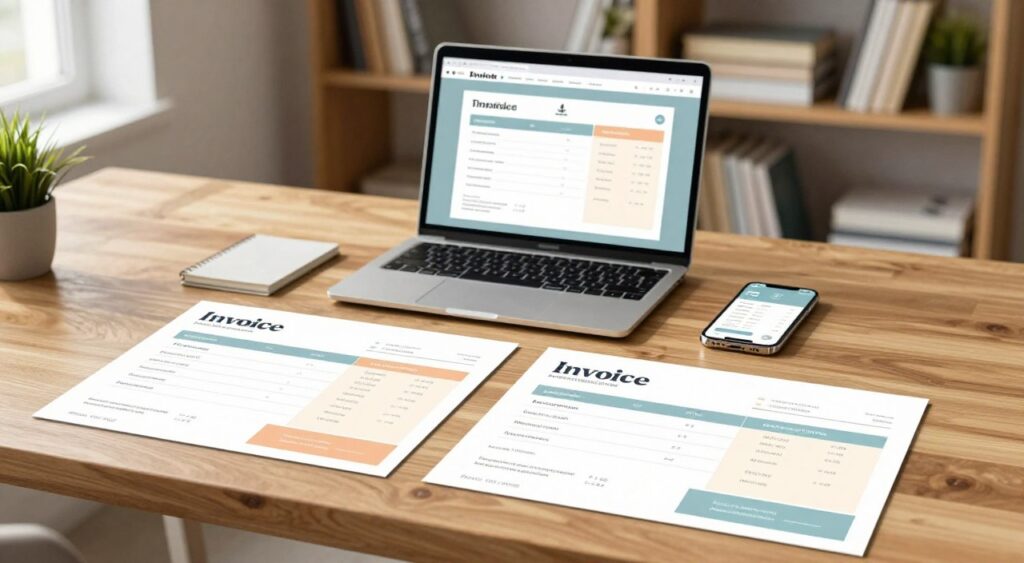
Free Invoice Templates
In this guide, I’ll walk you through eight practical steps to master your billing process. From selecting the right layout to sending professional requests, you’ll learn how to reduce errors and get paid faster. Utilizing these free invoice templates is the smartest move for any freelancer or small-business owner looking to reclaim their time.
Key Takeaways
- Standardized layouts ensure a professional brand image for your clients.
- Automated calculations significantly reduce the risk of manual billing errors.
- Consistent documentation helps you track payments and manage cash flow effectively.
- Using pre-made formats saves valuable time that you can spend on growing your business.
- Following a structured billing process leads to faster payment cycles.
Set Up My Invoicing Process Before I Download a Template
Efficient billing begins long before I open a template. Organizing my financial data first ensures my billing is consistent and professional. This preparation phase is crucial for an invoice template for small business owners aiming to avoid errors.
Define the Information My Business Must Show on Every Invoice
To maintain a professional image, every document must include specific, mandatory details. Without these, my invoices might face delays or payment disputes. I always include the following core components:
- My full business name and contact information.
- The client’s legal name and billing address.
- A unique invoice number for tracking.
- Clear itemized descriptions of services or products.
- The total amount due and specific payment terms.
Choose a File Format That Fits My Billing Workflow
The right format is as crucial as the design itself. I often seek editable invoice templates that allow me to adjust fields as my business grows. Whether it’s a spreadsheet or a document, the format must support my specific accounting needs.
When I Should Use Word, Excel, Google Docs, or PDF Templates
Each file type has its purpose in my daily operations. I rely on this breakdown to decide which tool works best for my current project:
Format | Best Use Case | Key Benefit |
Excel | Complex calculations | Automatic math formulas |
Word | Simple, text-heavy bills | Easy formatting control |
Google Docs | Cloud-based collaboration | Real-time access anywhere |
Finalized, secure delivery | Prevents accidental edits |
“Efficiency in billing is not just about the software I use, but the clarity of the information I provide to my clients.”
Gather My Business, Client, and Payment Details
Before I search for free invoice templates, I ensure all my essential data is ready. I keep a master file with my tax ID, bank routing numbers, and client contact lists. Having this information handy makes filling out editable invoice templates much faster.
Consistency is the key to getting paid on time. By gathering these details beforehand, I minimize the risk of missing information. This proactive approach ensures that every invoice template for small business needs is met with precision and speed.
Choose the Right Free Invoice Templates for My Business
Not all billing documents are created equal, and choosing the right one depends on my specific business model. Selecting the correct free invoice templates can save me hours of administrative work. It ensures I look professional to my clients.
Match the Template to My Business Type and Billing Needs
If I operate as a consultant, an invoice template for freelancers often requires specific fields for hourly rates and project milestones. On the other hand, an invoice template for small business owners might need to include inventory tracking, shipping costs, and tax codes for physical goods.
I must ensure the layout reflects my industry standards. A creative designer might prefer a sleek, modern look. A contractor might need a more utilitarian, data-heavy format.
Compare Printable Invoice Templates and Digital Invoices
Deciding between printable invoice templates and digital versions depends on how my clients prefer to receive their bills. While some traditional businesses still request paper copies, most modern clients prefer the speed and convenience of digital delivery.
Digital invoices allow for faster payment processing through integrated links. Having a printable version ready is always a smart backup for my records or for clients who require physical documentation.
Decide Between Blank, Editable, and Free Customizable Invoice Templates
I often choose between blank invoice templates, editable invoice templates, or free customizable invoice templates based on my current workload. Each option offers different levels of flexibility and control over my branding.
When a Blank Invoice Template Is the Best Starting Point
A blank document is ideal if I want full control over the design from scratch. It works best when I have a unique billing structure that standard forms cannot accommodate. I use this when I need to manually input every detail without being restricted by pre-set formulas.
When an Editable Template Saves Me More Time
Editable versions are my go-to choice when I need to send multiple invoices quickly. These files come with pre-built formulas that calculate totals and taxes automatically. They significantly reduce the risk of human error and keep my billing cycle moving smoothly.
Template Type | Best For | Key Benefit | Flexibility |
Blank | Custom Projects | Total Control | High |
Editable | High Volume | Speed/Accuracy | Medium |
Customizable | Brand Identity | Professionalism | High |
Step 1: Find a Reliable Invoice Template Download
My billing process starts with finding a trustworthy source for free invoice templates that meet my specific needs. I know that starting with a high-quality file saves me time and prevents errors later in my accounting cycle. I always look for platforms that prioritize user security and offer clear, professional layouts.
Search for Free Invoice Templates From Trustworthy Sources
I prefer to download my documents from established accounting software providers or reputable business resource websites. These sources typically offer clean, virus-free files that are designed for professional use. I avoid clicking on suspicious pop-up ads or unverified third-party forums that promise instant downloads.
Check Whether the Download Is Truly Free and Usable
Many websites claim to offer an invoice template download for free, but they often hide features behind a paywall. I verify that the file is fully editable without requiring a premium subscription or a credit card. If a site forces me to create an account just to access a basic document, I usually look elsewhere for a more transparent option.
Review File Compatibility, Licensing, and Security Before Downloading
Before I save any file to my computer, I check if it is compatible with the software I already use, such as Microsoft Excel, Google Sheets, or Adobe Acrobat. I also review the licensing terms to ensure I have the right to use the template for my commercial business activities. Lastly, I always run a quick security scan on the file to protect my sensitive client data.
How I Avoid Malware, Hidden Fees, and Unwanted Software
I stay vigilant by avoiding files that come in executable formats like .exe or .zip files from unknown senders. I look for standard document extensions like .xlsx, .docx, or .pdf to ensure the file is safe. If a website asks me to install a “download manager” or extra browser extensions, I immediately close the tab to prevent potential security risks.
Source Type | Security Level | Cost Transparency | Ease of Use |
Accounting Software Sites | High | High | Excellent |
Government Business Portals | Very High | High | Good |
Third-Party Ad Sites | Low | Low | Poor |
Step 2: Select a Professional Invoice Layout
A well-structured invoice is more than a payment request; it reflects my business’s professionalism. Utilizing professional invoice templates ensures my clients receive clear, concise, and trustworthy billing documents every time.
Choose a Clear Header With My Business Name and Contact Information
The header is the first thing my client sees, so it must be clean and informative. I always place my business name, address, and contact details at the very top of the document. This placement helps the recipient identify the sender immediately without searching through the page.
Make the Invoice Number, Issue Date, and Due Date Easy to Find
I prioritize placing the invoice number and key dates in a prominent location, usually on the top right or left side. These details are vital for my accounting records and for the client’s payment processing. By keeping these figures consistent across all my professional invoice templates, I reduce the risk of late payments caused by confusion.
Select a Layout That Keeps Services, Quantities, and Prices Readable
The core of my invoice should be a simple, organized table that lists my services or products. I ensure that columns for descriptions, quantities, unit prices, and line totals are clearly labeled. This structure allows my clients to verify the charges quickly and prevents unnecessary disputes.
Why White Space and Consistent Alignment Improve Professional Appearance
Using generous white space prevents the document from looking cluttered or overwhelming. When I align my text and numbers consistently, the invoice looks polished and intentional. This attention to detail builds credibility and makes my business appear more reliable to my customers.
Layout Element | Purpose | Best Practice |
Header | Brand Identity | Top-aligned, clear font |
Key Dates | Payment Tracking | Bold, high-visibility area |
Line Items | Service Clarity | Left-aligned descriptions |
Totals | Final Amount | Right-aligned, distinct color |
Step 3: Customize the Template With My Business Details
After choosing a layout, I focus on personalizing the document to showcase my brand’s unique identity. Utilizing free customizable invoice templates enables me to transform a basic template into a professional tool that resonates with my clients. By incorporating specific details, I ensure each invoice reinforces my business reputation.
Add My Business Name, Address, Email, Phone Number, and Website
I begin by adding my core contact information at the top of the document. This step ensures my clients know who is billing them and how to contact me. I verify my physical address, email, and phone number to prevent communication delays.
Insert My Logo Without Making the Invoice Difficult to Read
Integrating my company logo enhances brand recognition. I place it in the header, ensuring it complements the billing data without overshadowing it. When using free customizable invoice templates, I keep the logo size modest to maintain readability for my clients.
Set Up Sequential Invoice Numbers for Accurate Recordkeeping
Assigning a unique, sequential invoice number to each document is crucial for my accounting. It helps me track payments accurately without confusion. I start with “INV-001” and increment it for each new client interaction.
Adjust Fonts, Colors, and Sections to Reflect My Brand
I align the visual style of my invoices with my website and marketing materials. Choosing professional fonts and subtle brand colors creates a cohesive look. I also adjust sections, such as tax identification numbers or specific service notes, to meet my business needs.
Keep Branding Consistent Without Reducing Clarity or Print Quality
While personalizing my documents, I prioritize readability and print quality. I ensure text remains dark and legible against any background colors. This balance ensures my invoices look great on digital screens and printed paper.
Customization Element | Purpose | Best Practice |
Business Contact | Client Communication | Keep at the top |
Company Logo | Brand Recognition | High resolution |
Invoice Number | Recordkeeping | Sequential order |
Brand Colors | Visual Identity | Use for accents |
Step 4: Add Accurate Client and Service Information
When I use an invoice template for freelancers, I ensure every detail is clear. Precise information reduces client queries and payment delays. It builds trust and confirms my work aligns with the project agreements.
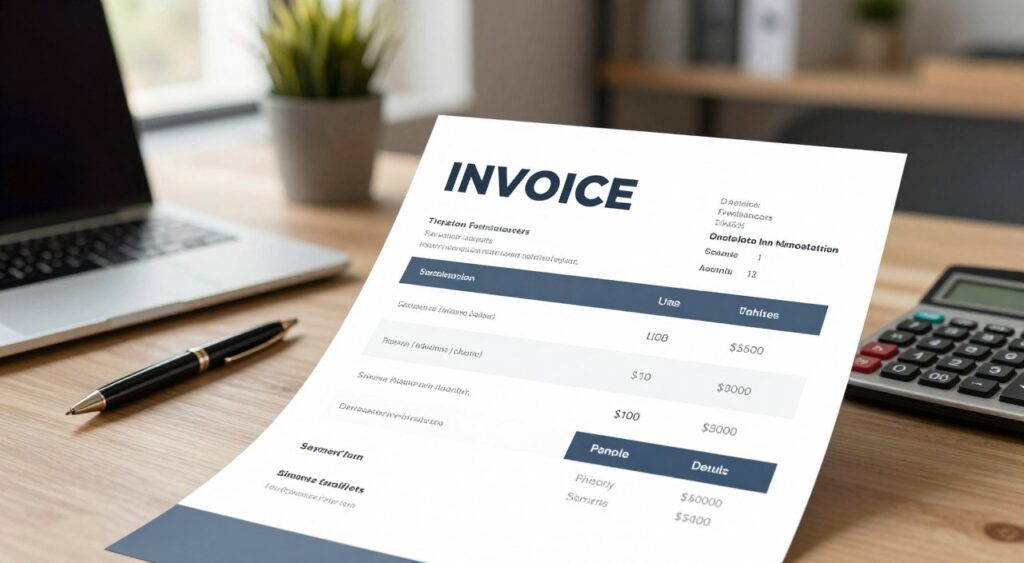
Invoice template for freelancers
Enter the Customer’s Legal Name and Billing Address
I verify the client’s legal name as per our contract. Using nicknames or informal names can cause issues. I also complete the billing address, including suite number and zip code, to avoid errors.
Describe Each Product or Service in Specific, Verifiable Terms
Vague descriptions lead to payment disputes. I specify the exact work, like “Social Media Strategy Audit for Q3.” This clarity helps clients quickly understand the value and speeds up approval.
Record Quantities, Hourly Rates, Unit Prices, and Line Totals
I use editable invoice templates for organized, professional math. I list quantity, rate, and subtotal for each item. This transparency lets clients verify charges against their project logs.
How I Prevent Common Description and Calculation Errors
I check my entries against time-tracking software before finalizing. I use formulas to ensure accurate totals. Consistency is key for a professional image and timely payment.
Entry Type | Vague Example | Professional Example |
Service Description | Web design | Custom WordPress theme development |
Quantity/Rate | 5 hours | 5 hours @ $75/hr |
Reference | None | PO #4492 – Project Alpha |
Include a Purchase Order Number or Project Reference When Needed
Many clients need a Purchase Order (PO) number for payment. I ask for a reference code before invoicing. Including it ensures my bill is processed correctly without delay.
Step 5: Calculate Taxes, Discounts, Fees, and the Final Balance
Accurate billing is crucial for client trust and maintaining cash flow. While free invoice templates offer automated fields, I must tailor each calculation to my specific transaction. This precision prevents disputes and ensures timely payments.
Apply the Correct Sales Tax for the Transaction
Understanding local tax laws is essential. Sales tax rates differ by state, county, and city. Incorrect rates can lead to compliance issues, so I always verify the correct percentage.
Show Subtotal, Discounts, Shipping, Late Fees, and Other Charges Separately
Transparency is key in billing. I break down each financial component to ensure clarity. This approach avoids confusion and enhances professional credibility.
Line Item | Description | Amount |
Subtotal | Total of all services | $500.00 |
Discount | Early payment incentive | -$25.00 |
Sales Tax | State/Local tax rate | $35.00 |
Shipping/Fees | Handling and delivery | $15.00 |
Total Due | Final Balance | $525.00 |
Verify Every Formula and Recalculate the Amount Due
Even with free invoice templates, manual checks are necessary. I confirm that the subtotal, tax, and discounts add up correctly. This diligence is crucial to avoid errors.
Why I Confirm Tax Rules Instead of Relying Only on a Template
Templates are useful but not tax advisors. They lack specific formulas for exemptions and local changes. I take responsibility for tax compliance to follow U.S. laws.
Display the Total Due and Currency Clearly
The final balance must stand out. I ensure the currency symbol is clear to avoid payment confusion. Clean, readable free invoice templates facilitate quick payment processing for clients.
Step 6: Add Payment Terms and Instructions
Establishing clear payment expectations is crucial for maintaining a healthy cash flow in my business. Utilizing free invoice templates ensures that every invoice I send includes detailed payment instructions. This clarity helps avoid misunderstandings and promotes timely payments from my clients.
State My Payment Due Date and Accepted Payment Methods
I always clearly state the due date, such as “Net 30” or a specific day, to prevent any confusion. Listing my accepted payment methods—like credit cards, bank transfers, or digital wallets—simplifies the payment process for my clients. This makes it easier for them to settle their balances on time.
Provide Bank, Card, Check, ACH, or Online Payment Details Securely
For secure transactions, I use payment gateways that integrate with my free invoice templates. When accepting direct bank transfers, I only share necessary routing information to protect my financial data. This approach ensures secure electronic payments without compromising my financial security.
Explain Deposits, Recurring Billing, Retainers, and Partial Payments
For large projects, I detail any required deposits or retainer fees upfront. I also explain recurring billing schedules and the automatic nature of these charges. This transparency fosters trust and prevents unexpected surprises when the invoice is received.
How I Avoid Including Sensitive Banking Information in an Unsecured Invoice
I never include full account numbers or sensitive passwords on standard PDF invoices. Instead, I provide a secure payment link or a dedicated portal for clients to enter their details privately. This best practice keeps my banking information safe, even if an invoice is intercepted.
Write Clear Late-Payment and Dispute Instructions
I include a professional note on late fees to encourage timely payments. For any disputes, I offer a direct contact email to resolve issues promptly. This clarity is a key benefit of using high-quality free invoice templates effectively.
Payment Method | Processing Speed | Security Level | Best For |
Credit Card | Instant | High | Small Services |
ACH Transfer | 1-3 Days | Very High | Large Projects |
Business Check | 5-7 Days | Moderate | Corporate Clients |
Online Portal | Instant | Highest | Recurring Billing |
Step 7: Proofread and Test My Editable Invoice Template
After customizing my billing layout, I meticulously check its functionality. Using editable invoice templates demands a strict approach to uphold my professional image. A single error, whether a typo or a broken formula, can delay payments. Thus, I prioritize accuracy above all else.
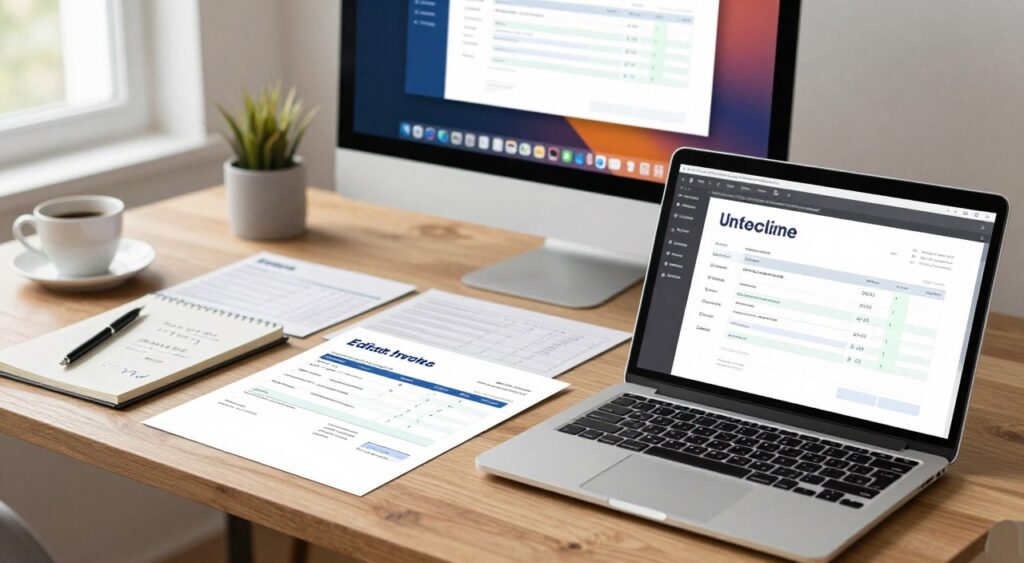
editable invoice templates
Check Names, Dates, Invoice Numbers, Amounts, and Contact Details
I begin by examining the static information on the document. I confirm that the client’s legal name aligns with my records and the billing address is complete. Precision is key for invoice numbers, crucial for tracking income throughout the fiscal year.
Next, I double-check the issue and payment due dates. Incorrect dates can lead to confusion or late payments. Lastly, I verify my contact details to ensure clients can reach me with any questions.
Test Automatic Calculations and Editable Fields
Most editable invoice templates use formulas for subtotals and taxes. I manually check these calculations with a calculator to confirm the spreadsheet logic. I also test every editable field to ensure clear, readable input without formatting errors.
Confirm That the Template Works on My Computer and Mobile Device
I must ensure my files are accessible on any device. I open the file on my desktop and then on my smartphone to verify the layout remains professional. If the layout changes or text becomes unreadable on a smaller screen, I adjust the margins or font sizes immediately.
How I Test a Spreadsheet Invoice Without Overwriting the Original
To safeguard my workflow, I never edit my primary file directly. Instead, I create a copy and rename it with the client’s name and date. This habit prevents me from accidentally saving over my template with client-specific data, keeping my original file pristine for future use.
Save a Clean Master Copy for Future Invoices
Once I’m satisfied with the layout, I save a clean master copy in a secure folder. This file acts as my reliable foundation for all future billing. By maintaining this master version, I ensure every invoice is consistent, professional, and ready for immediate use.
Verification Step | Action Required | Priority Level |
Data Accuracy | Verify names and dates | High |
Formula Check | Test math in editable invoice templates | Critical |
Layout Review | Check mobile and desktop view | Medium |
File Management | Save master copy separately | High |
Step 8: Export, Send, and Organize Each Invoice
Delivering invoices is a crucial moment in my professional dealings. After finalizing the figures, I make sure the document is ready for the client’s review and prompt payment.
Convert My Completed Invoice to a Professional PDF
I export my work as a PDF to ensure consistency across all devices. This format is perfect because it combines printable invoice templates with digital delivery. It locks the formatting, preventing changes while allowing clients to print a clean copy if needed.
Review the PDF Before Sending It to My Customer
I conduct a final quality check on the file before sending it. I ensure all text is clear and columns haven’t shifted. Using professional invoice templates helps maintain quality, but a quick visual check confirms my branding and payment details are correct.
Use a Clear Email Subject and Message When I Send an Invoice
My email must be brief and professional to encourage quick payment. I use a clear subject line with my business name and invoice number for immediate identification.
What I Include in a Professional Invoice Delivery Email
- A polite greeting addressing the client by name.
- The invoice number and the total amount due.
- A clear reference to the services provided.
- Direct links or instructions for my preferred payment methods.
- A friendly closing with my contact information.
Store Invoices, Receipts, and Payment Records in an Organized System
I keep my business finances organized with a structured filing system. I save each sent invoice with a descriptive filename, like Invoice_Number_ClientName_Date.pdf. This makes retrieval easy. When tax season comes, I have a complete, searchable history of all transactions and receipts.
Maintain My Free Invoice Templates and Follow Up on Payments
My work doesn’t end with sending an invoice. To keep cash flowing, I treat my billing system as a dynamic process. It needs ongoing attention and improvement.
Update My Template When Pricing, Taxes, or Payment Methods Change
Business conditions change, and my documents must keep pace. I regularly review my free invoice templates when I adjust rates or update tax info.
Adding new payment options, like digital wallets or ACH transfers, prompts an immediate update. Keeping these details current avoids confusion. It ensures clients can process payments smoothly.
Track Sent, Viewed, Overdue, Paid, and Canceled Invoices
Organization is crucial for a successful invoice template for small business workflow. I use a simple log to track every invoice I send to clients.
This log helps me identify pending and cleared payments. Being proactive, I can quickly address any discrepancies or missed deadlines.
Schedule Professional Payment Reminders Without Sounding Aggressive
When a payment is late, clear communication is key. I send polite reminders, assuming the client forgot or faced a minor issue.
When I Should Send a First Reminder, Final Reminder, or Past-Due Notice
Timing is crucial in managing accounts receivable. I follow a structured schedule for my follow-ups, keeping them professional and effective.
Reminder Type | Timing | Primary Goal |
First Reminder | 1-3 days after due date | Friendly check-in |
Final Reminder | 7-10 days after due date | Request immediate action |
Past-Due Notice | 14+ days after due date | Formalize the collection |
Know When a Basic Template No Longer Meets My Business Needs
While free invoice templates are great for beginners, they may limit growth. If I spend more time on manual calculations or formatting than actual work, it’s time to upgrade.
As client volume grows, I seek automated solutions that integrate with my accounting software. Moving to a more advanced system lets me focus on my core services while billing is handled by specialized tools.
Conclusion
Mastering the billing cycle has revolutionized my approach to managing business finances. Free invoice templates provide a solid foundation, ensuring a steady cash flow and organized records.
My dedication to precision ensures every client gets a professional invoice. I focus on clear totals and secure payment details to foster trust. These practices elevate simple documents into a key driver for business expansion.
I recommend finding a template that fits your specific needs. Regular use of free invoice templates helps maintain a professional image while saving time. Adopt these strategies now to witness improvements in your financial performance.
FAQ
Why should I use free invoice templates instead of creating a document from scratch?
Using free invoice templates helps me maintain a professional look while reducing errors. It saves time by starting with a pre-designed structure. This ensures all legal and financial fields are included, as required in the United States.
What is the benefit of using editable invoice templates in formats like Microsoft Excel or Google Docs?
Editable invoice templates are beneficial because they enable automation. With Microsoft Excel or Google Sheets, I can set up formulas for subtotals and taxes. This prevents the errors common in static documents.
When should I choose printable invoice templates over digital-only versions?
I opt for printable invoice templates when a physical copy is needed. This is crucial for service providers like FedEx or local contractors. It ensures the layout is clear and legible after printing.
How do I ensure an invoice template download is safe for my computer?
Before downloading an invoice template, I check the source’s reputation, like Microsoft Office or Adobe. I look for secure HTTPS connections and read user reviews. This avoids malware or hidden fees, ensuring the file is free and compatible.
Can I fully brand free customizable invoice templates with my own logo?
Yes, I use free customizable invoice templates to match my brand. I can insert my logo, adjust colors, and select fonts that reflect my service quality. This maintains document clarity without compromising professionalism.
What specific features should I look for in an invoice template for small business operations?
For an invoice template for small business, I seek fields for bulk itemization, shipping costs, and various payment methods. This includes PayPal, Stripe, or ACH transfers. It ensures scalability and organization as my business grows.
How does an invoice template for freelancers differ from a standard corporate invoice?
An invoice template for freelancers emphasizes time-tracking and detailed service descriptions. It helps break down hourly rates and project milestones clearly. This avoids payment disputes and provides transparency to clients.
Is a blank invoice template the best starting point for a new business?
I recommend a blank invoice template for full control over the layout. It provides a basic structure but allows customization to fit my workflow perfectly.
How do I handle sales tax and discounts using professional invoice templates?
With professional invoice templates, I include separate lines for subtotal, sales tax, and discounts. I verify tax rates for the client’s location to ensure accuracy.
Why should I convert my final document to a PDF before sending it to a client?
I export my work to a PDF using Adobe Acrobat to lock formatting. This prevents changes and ensures the invoice looks the same on all devices.
How often should I update my master invoice template?
I update my master editable invoice templates when I change pricing, update contact details, or add new payment options. Keeping it current saves time and ensures accuracy.
