
Introduction
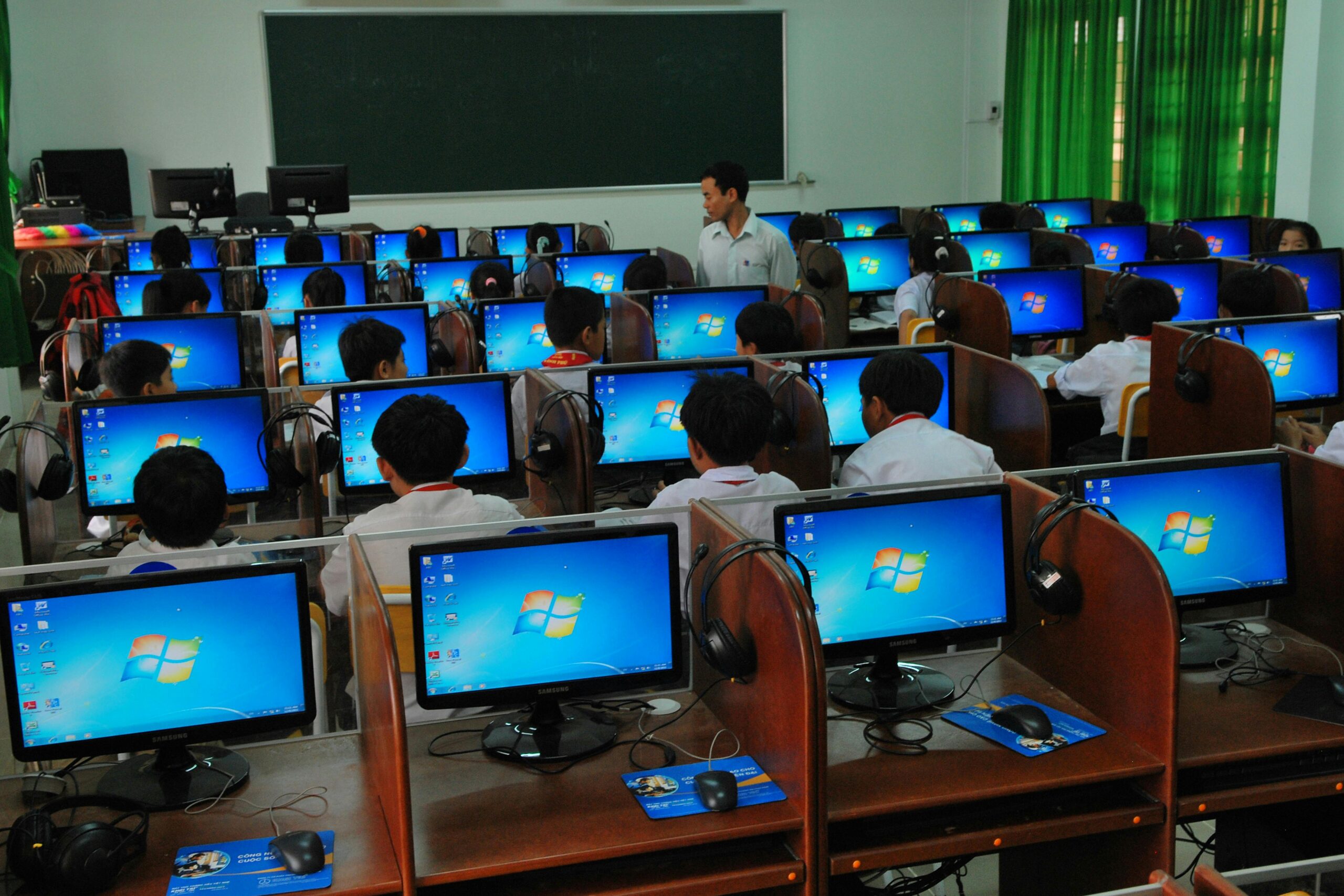
In today’s fast-paced digital world, computers are no longer a luxury—they are a necessity. From education and communication to business and entertainment, technology has become deeply integrated into our daily lives. Whether you are a student, professional, or entrepreneur, having basic computer knowledge is now a fundamental skill required to function effectively in society.
Computer literacy goes beyond just knowing how to turn on a computer or type a document. It includes understanding how to use software, browse the internet safely, manage digital information, and solve basic technical problems. This article explores the importance of computer literacy, its benefits, and how you can develop these essential skills to stay competitive in the modern world.
What is Computer Literacy?
Computer literacy refers to the ability to use computers and related technology efficiently. It involves a combination of practical skills, knowledge, and understanding of digital tools.
Key Components of Computer Literacy
- Basic Operation Skills
Understanding how to operate a computer, including using the keyboard, mouse, and basic system functions. - Software Knowledge
Familiarity with applications like word processors, spreadsheets, and presentation tools. - Internet Skills
Ability to browse the web, search for information, send emails, and use online platforms. - Digital Safety Awareness
Knowing how to protect personal data and avoid online threats such as scams and viruses.
Why Computer Literacy is Essential Today
Role in Education
Education has shifted significantly toward digital platforms. Students now rely on computers for research, assignments, and online classes. Without computer literacy, it becomes difficult to access educational resources or keep up with modern learning methods.
Impact on Employment
Most jobs today require at least basic computer skills. From office work to freelancing, digital tools are essential for communication, data management, and productivity. Employers often consider computer literacy a minimum requirement when hiring candidates.
Communication and Connectivity
Computers enable people to connect globally through email, messaging apps, and social media platforms. Being computer literate ensures effective communication and helps individuals stay connected with family, friends, and colleagues.
Access to Information
The internet provides unlimited access to information. Computer literacy allows individuals to search, evaluate, and use this information effectively for personal or professional growth.
Core Skills Every Computer-Literate Person Should Have
Basic Typing and Navigation
Typing efficiently and navigating through files and folders are fundamental skills. These help improve productivity and save time.
Understanding Operating Systems
Knowing how to use operating systems enables users to manage files, install programs, and customize settings.
Internet Research Skills
Being able to find reliable information online is crucial. This includes using search engines effectively and identifying trustworthy sources.
Email and Communication Tools
Email remains a primary communication method in professional settings. Understanding how to compose, send, and organize emails is essential.
Cybersecurity Awareness
Basic knowledge of cybersecurity helps protect personal data. This includes using strong passwords, avoiding suspicious links, and keeping software updated.
Step-by-Step Guide to Improving Computer Literacy
Step 1: Start with Basics
Begin by learning how to operate a computer. Practice turning it on and off, using the keyboard, and navigating the desktop.
Step 2: Learn Essential Software
Focus on commonly used programs such as word processors, spreadsheets, and presentation tools. Practice creating documents and managing files.
Step 3: Explore the Internet
Learn how to use a web browser, search for information, and access useful websites. Practice sending emails and using online communication tools.
Step 4: Take Online Courses
Enroll in beginner-friendly courses that teach computer skills. Many platforms offer free lessons that cover essential topics.
Step 5: Practice Regularly
Consistency is key. Spend time daily using a computer to build confidence and improve your skills.
Step 6: Stay Updated
Technology evolves quickly. Keep learning new tools and updates to stay relevant in the digital world.
Tips and Best Practices
- Practice Daily
Regular use of a computer helps reinforce learning and build confidence over time. - Focus on Practical Skills
Learn skills that you can apply in real-life situations, such as creating documents or managing emails. - Stay Curious
Explore new software and tools to expand your knowledge and improve efficiency. - Use Reliable Resources
Learn from trusted tutorials and educational platforms to ensure accurate information. - Protect Your Data
Always use secure passwords and avoid sharing personal information online.
Common Mistakes to Avoid
- Ignoring Basic Skills
Skipping foundational knowledge can lead to confusion later. Always start with the basics. - Fear of Technology
Many people avoid learning computers due to fear. This mindset can limit growth and opportunities. - Overlooking Cybersecurity
Not understanding online safety can result in data loss or cyber threats. - Lack of Practice
Learning without practice makes it difficult to retain knowledge. Consistent use is essential. - Relying Only on Others
Depending too much on others for help prevents independent learning and skill development.
Benefits of Computer Literacy
Increased Job Opportunities
Computer skills open doors to a wide range of career options. Many industries rely heavily on digital tools, making these skills highly valuable.
Improved Productivity
Using computers efficiently helps complete tasks faster and more accurately, saving time and effort.
Better Communication
Digital communication tools make it easier to connect and collaborate with others across the globe.
Access to Online Learning
Computer literacy enables individuals to learn new skills through online courses and educational resources.
Enhanced Problem-Solving Skills
Working with computers improves logical thinking and problem-solving abilities, which are useful in everyday life.
FAQs
1. What is the main purpose of computer literacy?
The main purpose is to enable individuals to use computers and digital tools effectively for work, education, and communication.
2. Is computer literacy necessary for all professions?
Yes, most professions require at least basic computer skills, even in non-technical fields.
3. How long does it take to become computer literate?
It depends on the individual, but basic skills can be learned within a few weeks with consistent practice.
4. Can I learn computer skills at home?
Yes, many online resources and tutorials allow you to learn computer skills from home at your own pace.
5. What are the most important computer skills to learn first?
Start with basic operations, typing, internet use, email communication, and simple software applications.
Conclusion
Computer literacy is no longer optional—it is a critical skill for success in today’s digital world. It empowers individuals to access information, communicate effectively, and take advantage of countless opportunities in education and employment.
By developing basic computer skills and continuously improving your knowledge, you can stay competitive and confident in a technology-driven environment. Start small, practice regularly, and embrace learning. The more comfortable you become with computers, the more doors you will open for your future.
No responses yet